An asset's QR code
The QR code stuck on an asset opens with any phone’s camera, or with Verifline’s Scanner. What it shows depends on who scans.
Without an account
Section titled “Without an account”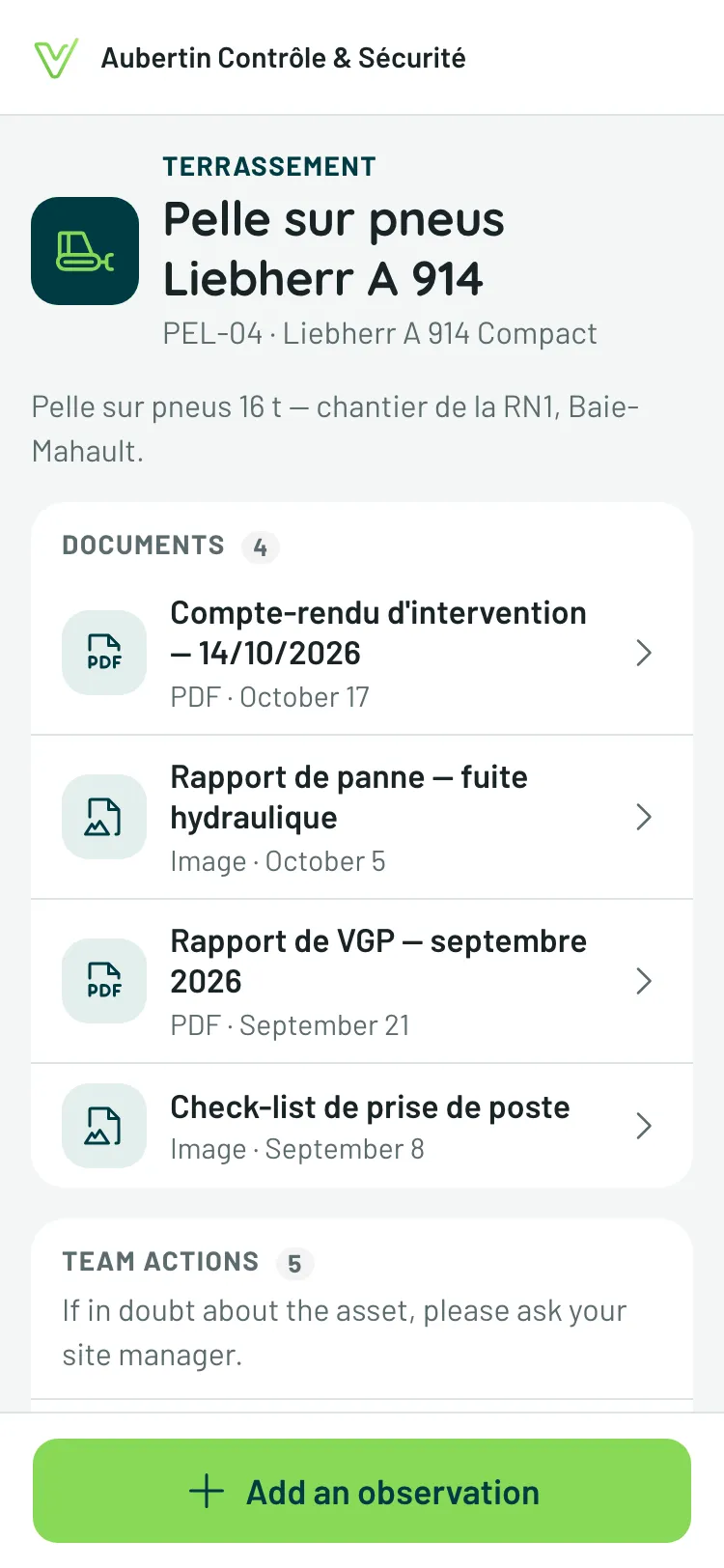
A temp worker, a driver, a passing contractor sees the asset’s page — without signing in:
- the asset, its category, its reference and its model;
- its public Documents, opened with a tap;
- the Team actions, if the asset shows them: what is taken care of, what was resolved, and since when — without a name;
- its Observations, if their history is visible without an account. When the actions are visible too, a badge under each one says what was done about it: “Taken care of”, or “Resolved on Oct 14”.
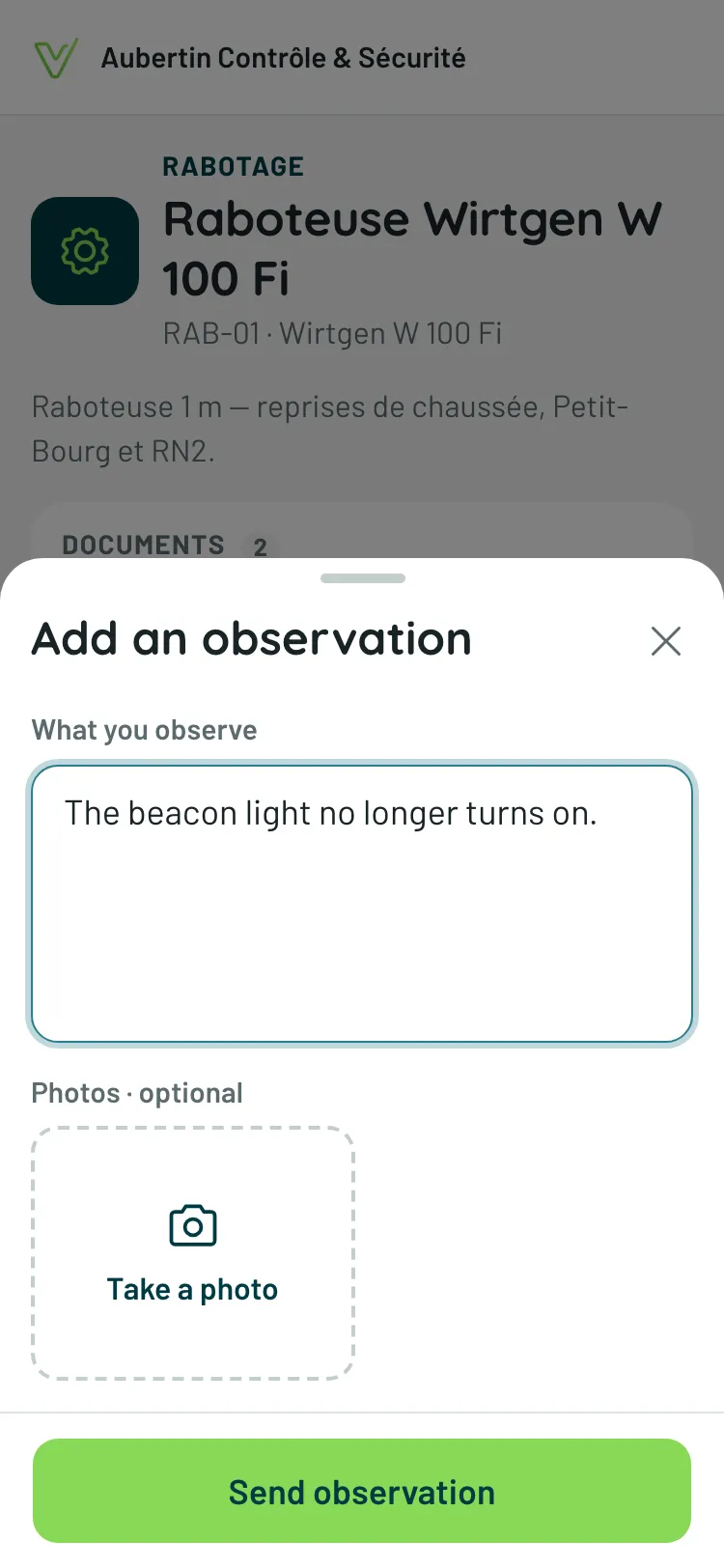
When the asset accepts observations without an account, Add an observation opens a sheet: What you observe, photos if needed, then Send observation. It’s signed “Anonymous”.
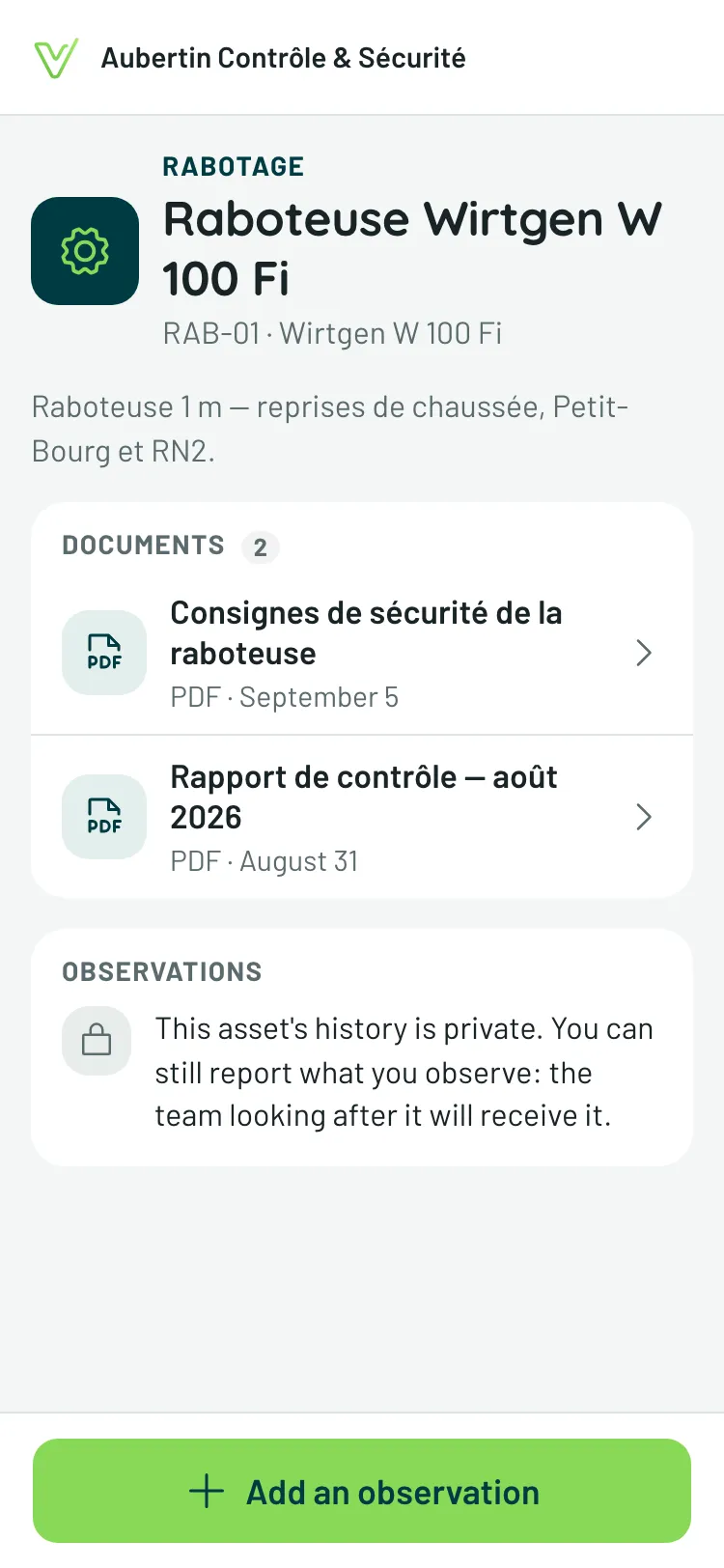
When the history is private, the page says so. If the asset still accepts observations, you can report what you see: the team looking after it will receive it.
With your account
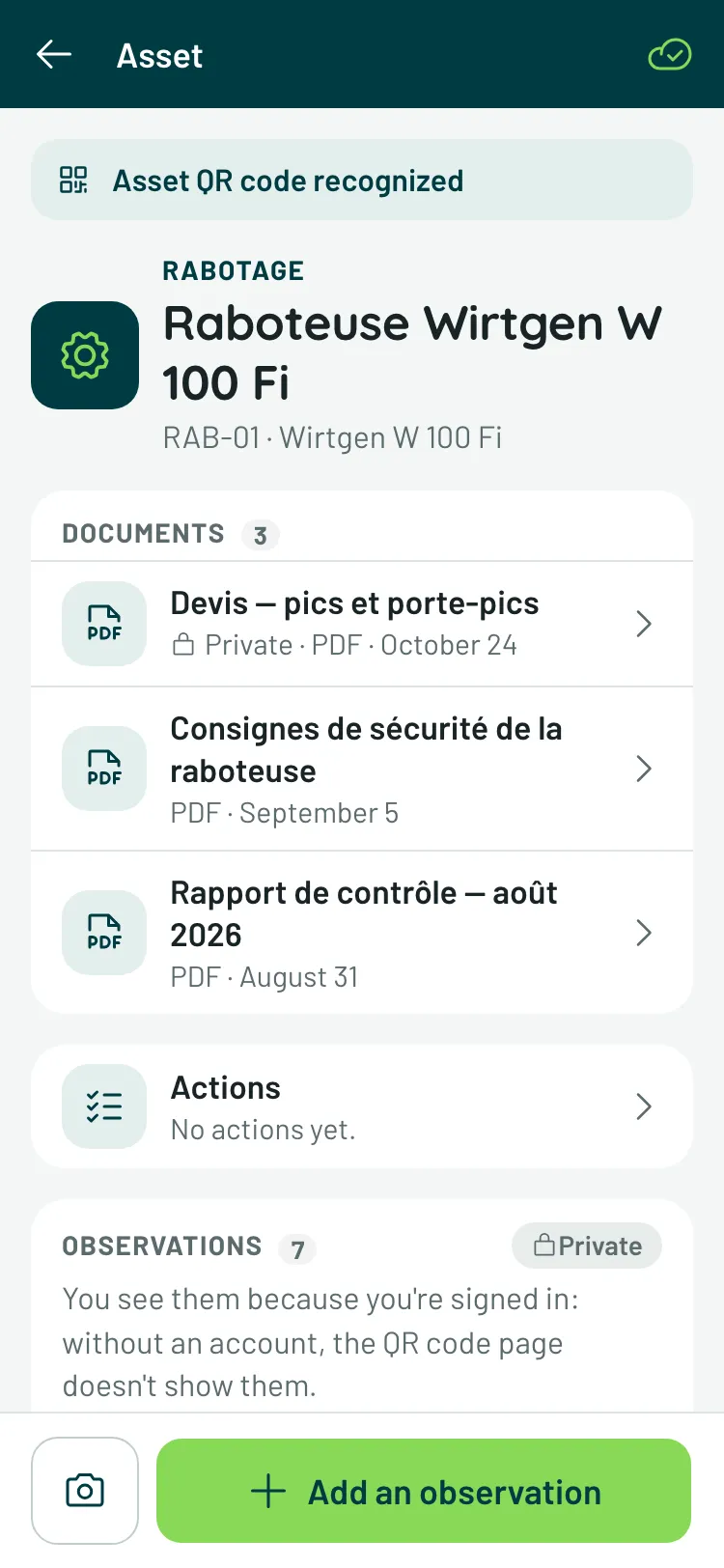
Section titled “With your account”Signed in, the same QR code opens the full page of the asset, with Asset QR code recognized at the top: its private documents included, all its observations. Add an observation, at the bottom of the screen, signs it with your name.
The Actions line, under the documents, counts what is under way and what is completed on the asset; tapping it opens their list. Under an observation, its badge says what was done about it, and Create an action gives birth to one — under an anonymous report, or from the observation’s menu.
The Scanner keeps the asset under Recent: to come back to it, no need to aim at the code again.
When the QR code opens nothing
Section titled “When the QR code opens nothing”This QR code no longer opens anything: it was probably replaced — a manager regenerated it. Please reach out to the team on site for the new one.
If the page doesn’t load, check your connection, then Retry: Verifline never passes you off as anonymous without telling you.