The report
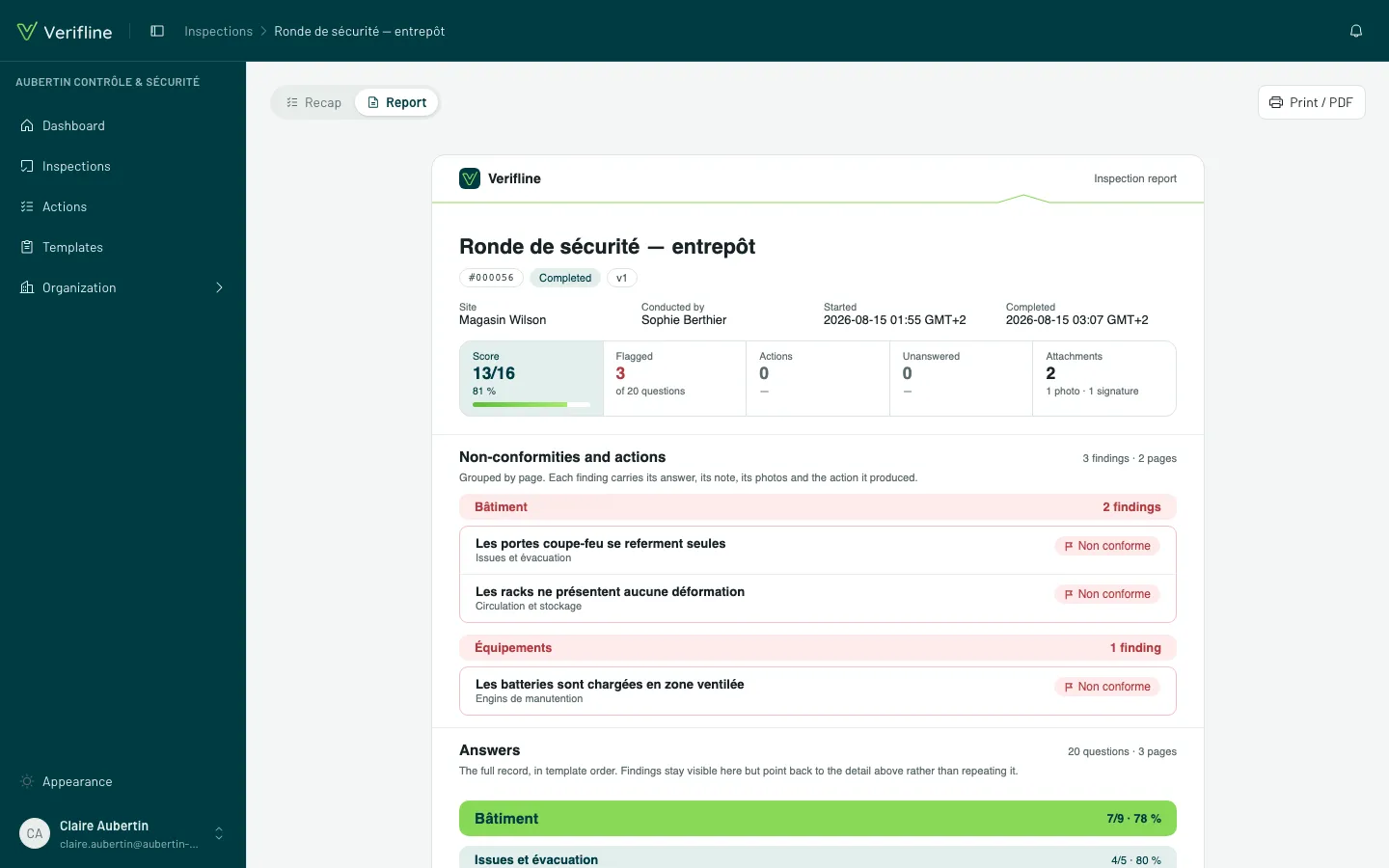
The report is a completed inspection’s output document — the one you send to the client, headquarters or the auditor. It opens from the summary, via View the report.
What it contains
Section titled “What it contains”The same story as the summary, in three bands, but laid out for paper:
- The header — the organization, the template and its version, the site, the conductor, the dates, the score and the counters.
- Non-compliances and actions — each finding with its colored answer, its photos, its note, and the corrective action born from it (assignee, due date, state).
- The answer record — the entire questionnaire in order, answers, notes and attachments; repeated sections are all unrolled.
The colors are those of your response sets — a Verifline report reads from across the room.
Print, or make a PDF
Section titled “Print, or make a PDF”Print / PDF opens the browser’s print dialog: pick a printer, or “Save as PDF” to get the file to attach. The layout is designed for A4 — clean page breaks, resized photos.