Start an inspection
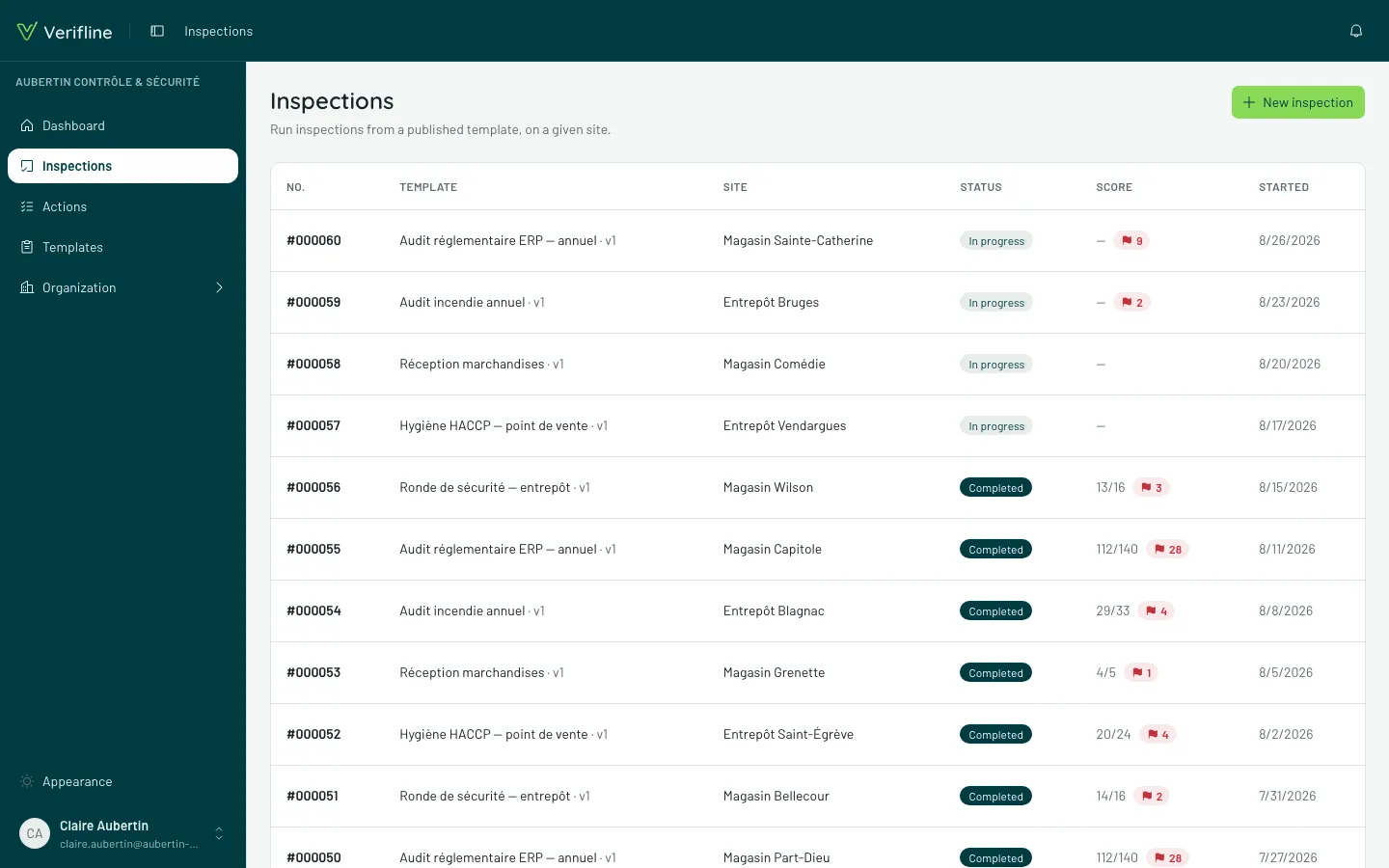
An inspection is a template run on a site. It starts from the Inspections → New inspection screen:
- Pick the template — the list only shows those access opens to you.
- Pick the site — among those in your scope.
- Capture opens: you are already inspecting.
The inspection list
Section titled “The inspection list”The Inspections screen is your worktable: each row carries the template, the site, the conductor, the state (In progress or Completed), the score and the flagged answer count. Filters cross all of it — by site, by template, by state.
What you see there depends on your role: your own inspections and your scope, or the whole organization for those who manage.
Resuming an inspection in progress
Section titled “Resuming an inspection in progress”An In progress inspection reopens with one click and resumes exactly where it stood — capture saves every answer as it lands. Started in building A in the morning, finished in building B in the afternoon: that is normal operation, not a degraded mode.