Track actions
The Actions screen is the register of everything to be fixed — whether an action was born from an inspection, from a form or from a QR code.
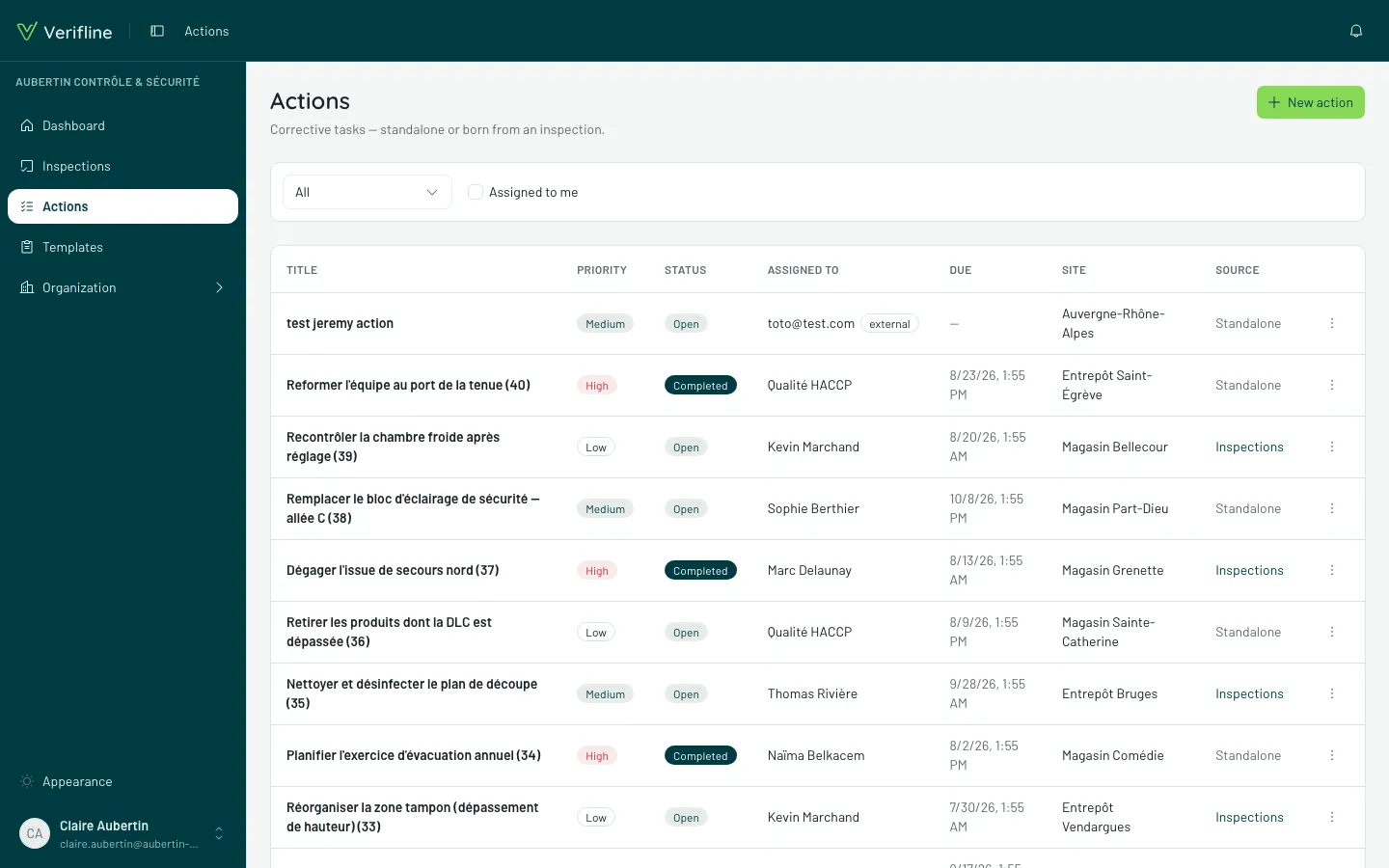
Reading a row
Section titled “Reading a row”Every action carries:
- its priority — Low, Medium or High;
- its due date, and the Overdue marking once it has passed;
- its status — Open or Done;
- its assignee — a person, a group, a site, or an external contributor;
- its source — Standalone, or the inspection it came from (the link climbs back to the finding).
The filters that serve daily
Section titled “The filters that serve daily”- Assigned to me — your morning plate;
- by status — the Open ones first, obviously;
- by site, priority, due date — to prepare a team review.
Who sees what
Section titled “Who sees what”As everywhere: your own actions (created or assigned), those born from visible inspections, those in your scope — and the whole organization for whoever carries Manage. An action assigned to a group is on every group member’s plate.