Targets
A target is a goal: a measure, a direction (At least / At most), a value. “Average score ≥ 85%”, “overdue actions ≤ 5”. The Targets tab of analytics lists them, with today’s value and their state: Target met or Target missed.
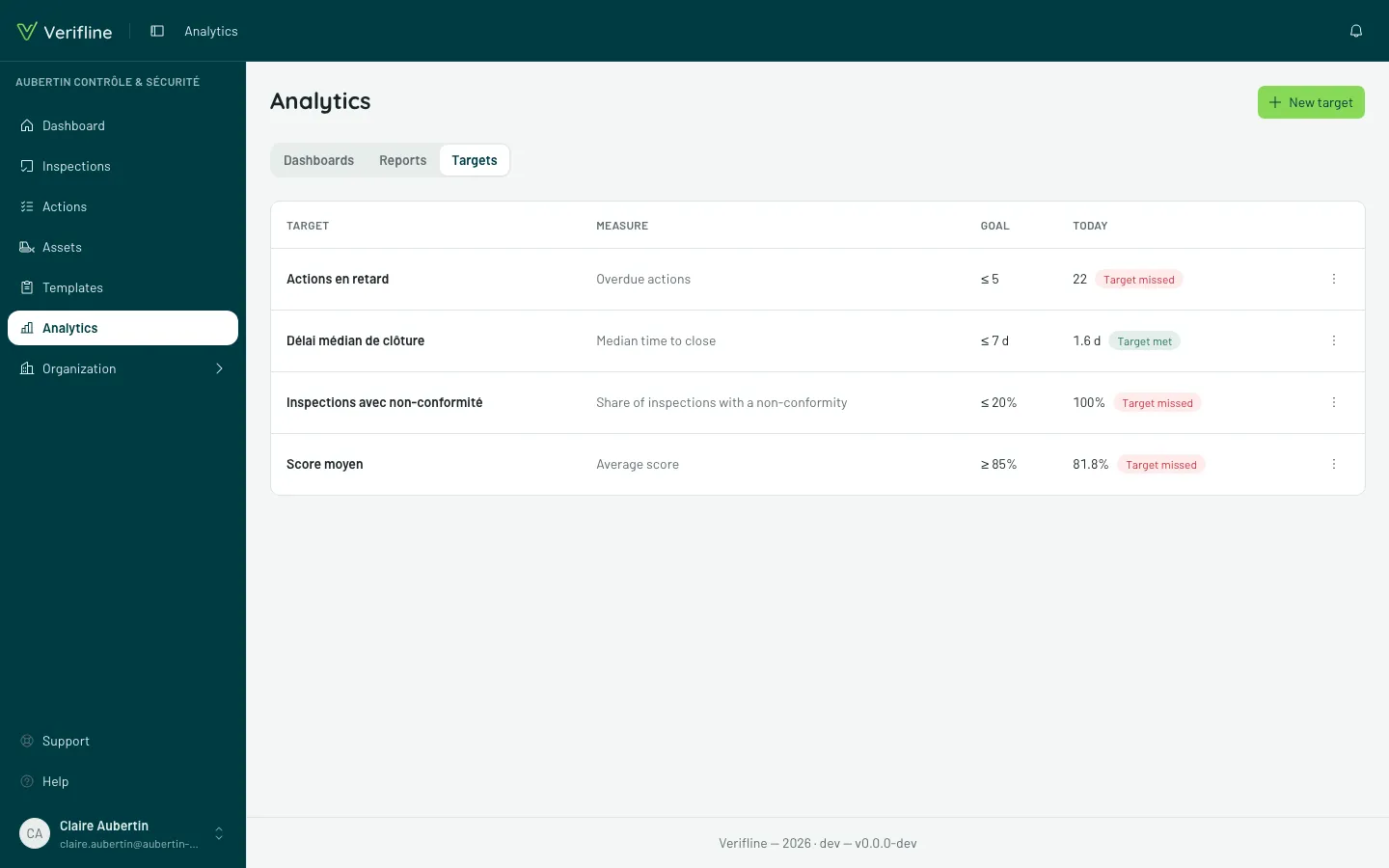
Set a target
Section titled “Set a target”New target asks for four things:
- a Name;
- a Measure — one of a report’s: average score, share of inspections with a non-conformity, overdue actions, median time to close…;
- a Direction — At least or At most;
- a Goal — the value.
Four suggestions are offered to begin with: Average score ≥ 85%, Inspections with NC ≤ 20%, Overdue actions ≤ 5, Median time ≤ 7 d.
Today’s value is computed over the last 30 days — or over the current state for a stock, such as open or overdue actions.
See it on reports
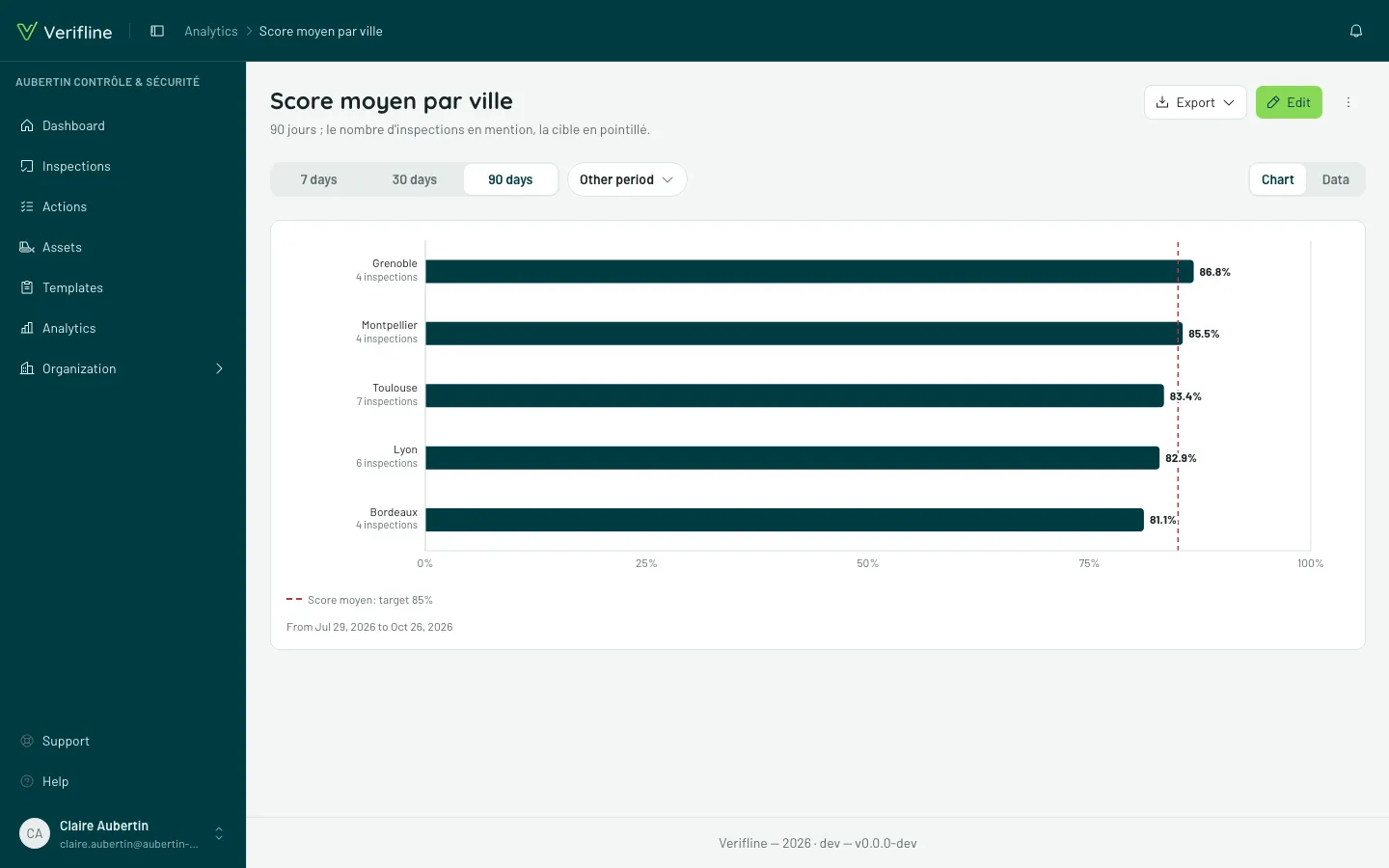
Section titled “See it on reports”In the report editor, Targets offers the ones that measure what the report measures. The target is then drawn as a dashed line on the chart; a figure report shows its state, Target met or Target missed.
Edit and Delete sit on the target’s row. Deleting a target removes its line from the reports that draw it.