Create a template with AI
Already have an inspection checklist? No need to copy it question by question. In Templates, New template → With AI turns it into a Verifline template, which you review before anything exists.
Drop, or describe
Section titled “Drop, or describe”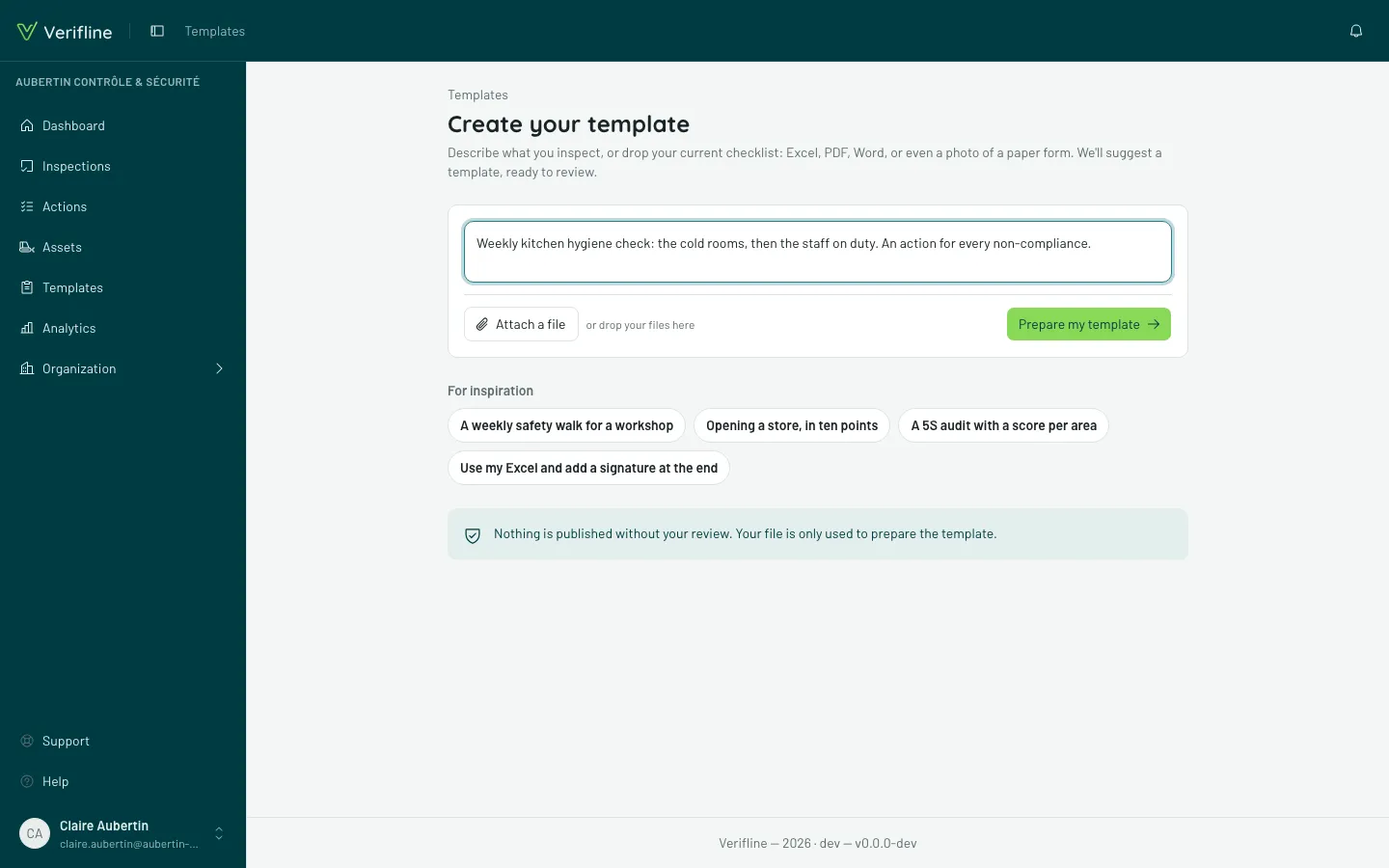
On the Create your template screen, you can:
- attach a file — an Excel, PDF, Word, image (a photo of a paper checklist works) or text file, up to five at a time and 10 MB each;
- describe what you inspect in Your request, with or without a file: “For every Non-compliant answer, ask for a photo and create a follow-up action”.
Then Prepare my template. Allow about fifteen seconds for a page, one to three minutes for a long checklist. You can keep the tab open: your proposal shows up as soon as it’s ready, and reloading the page finds it again. If the connection drops, the preparation goes on on our side: Try again finds it.
Review the proposal
Section titled “Review the proposal”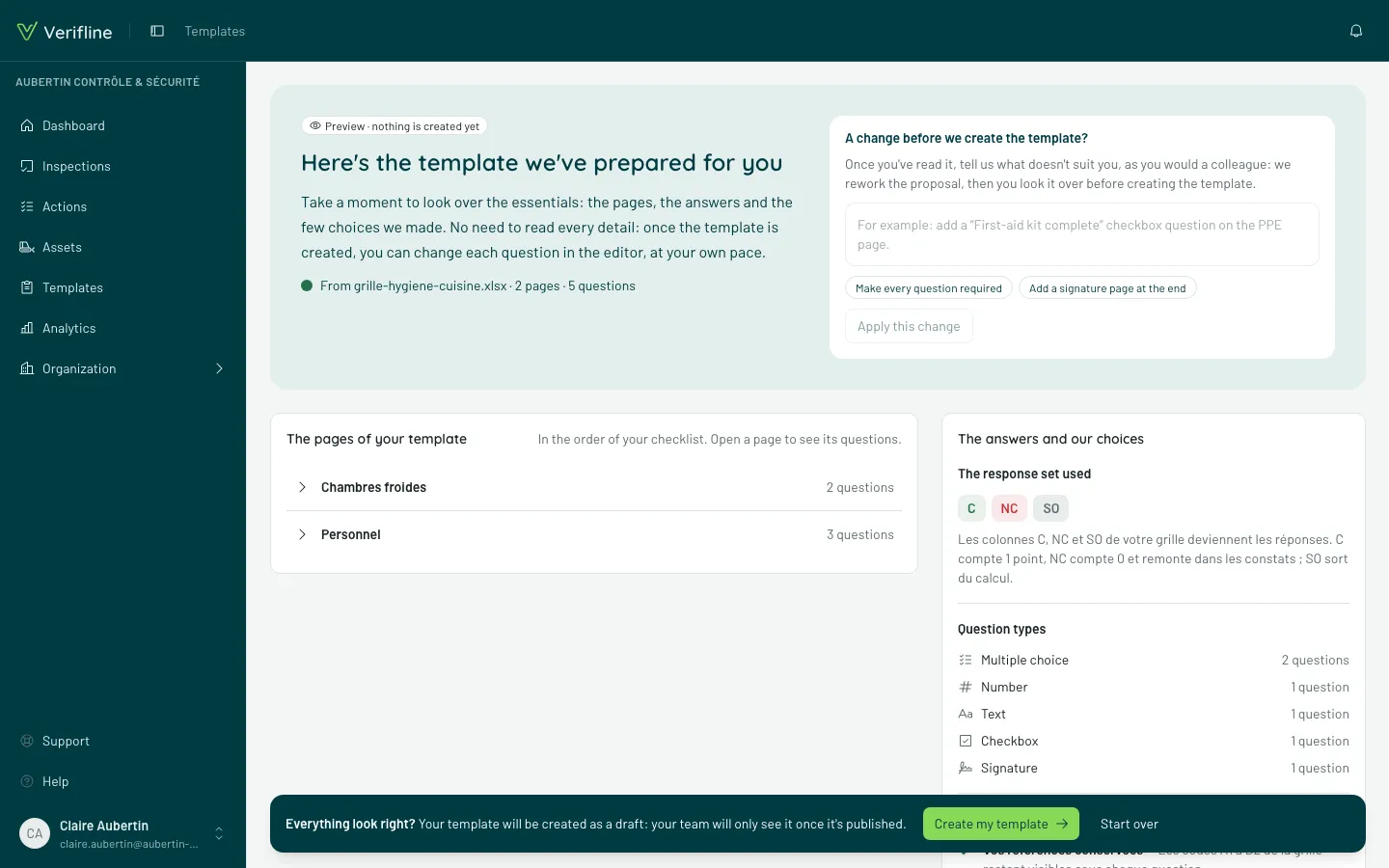
The Here’s the template we’ve prepared for you screen is a preview — it says so at the top: “Preview · nothing is created yet”. Skim it — everything can be changed later in the editor.
- The pages of your template: each page unfolds onto its first questions, with the icon of their type (the name shows on hover) and what matters — Required, what an answer triggers. “Show the 4 other questions” unfolds the rest of the page, Show less goes back to the first ones.
- The answers and our choices: The response set used (or The response sets used, if there are several), Question types with how many of each, then The choices we made — the two or three decisions that matter (duplicates merged, your instruction applied, references kept…).
At the top, A change before we create the template? takes one change, for the whole template or for a page (“add a checkbox question on the PPE page”, “make every question required”): write it — or start from a suggestion, which fills the field —, then Apply this change. The AI’s reply says what changed; in The pages of your template, the page it touched opens and its questions show Added or Changed. Everything else is set in the editor, once the template is created.
Create the template
Section titled “Create the template”The bar at the bottom stays on screen: Everything look right? Create my template opens the template in the editor. It is a draft: your team only sees it once published. Start over goes back to your request, without creating anything.