Publish a template
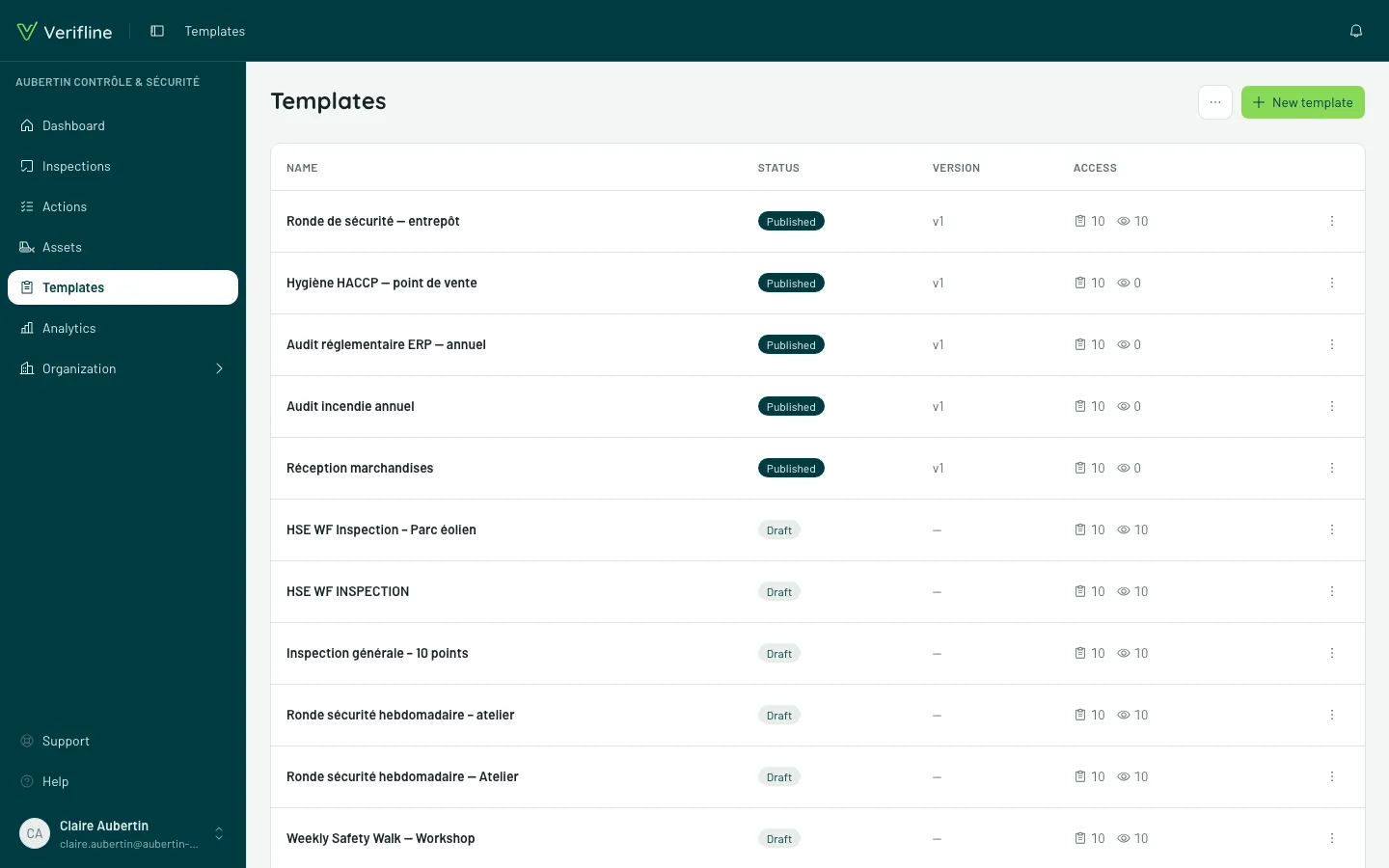
A template lives in two states:
- Draft — in progress, editable at will, impossible to run in the field; the list shows it marked “Draft”.
- Published — runnable by whoever access grants it to.
Publishing freezes a version
Section titled “Publishing freezes a version”Publish does not make the live template editable in place: it engraves a version — questions, response sets, logic, scores, everything. Each inspection latches onto the version that was published when it started, and never moves from it:
- a running inspection does not see its questions change midway;
- two inspections from the same quarter stay comparable;
- a six-month-old report shows the six-month-old questionnaire.
Editing a published template
Section titled “Editing a published template”Reopen the editor, edit, republish: a new version goes out, and inspections started from then on use it. Earlier ones finish on theirs. Nothing to manage — versioning is automatic.
Changed your mind before republishing? Discard changes, next to Publish, takes the template back to its published version.
Archiving or deleting a template
Section titled “Archiving or deleting a template”In the list, a template’s ⋮ menu offers:
- Archive, once it has been used: it leaves the catalog and can no longer be started, but its inspections and their reports stay intact — an inspection already under way, even offline, gets finished. The Archived tab keeps it, and Restore puts it back in the catalog as it was;
- Delete, if it has never been used: it is gone for good, with its pages and questions, after confirmation.