The editor's AI assistant
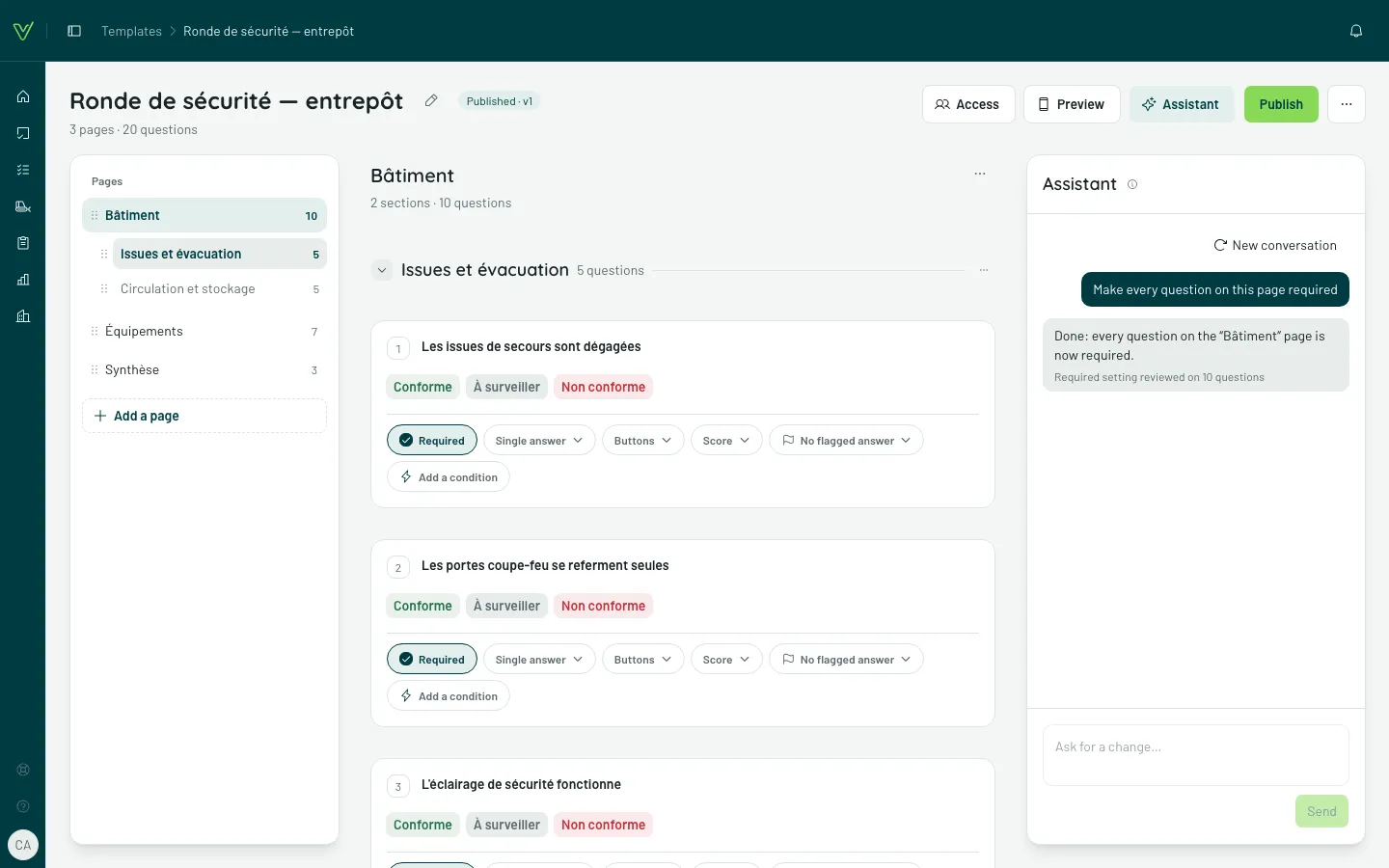
In the editor, the Assistant button (shown only when the assistant is open to you; on a phone, in the bottom bar) opens a column where you ask for a change in plain words: “make every question on this page required”, “ask for a photo when the answer is Non-compliant”, “add a manager signature at the end”. The assistant applies it to the template, and the editor updates right away. The suggestions shown at first fill the field: read, adjust, then Send.
What it can do
Section titled “What it can do”Add, change, move or delete questions, sections and pages; change an answer type or a response set; set logic — a question can carry several rules —, follow-up questions included (“if non-compliant, ask for the cause”).
It works on the template as it is now, your edits included; it doesn’t see the file the template may have come from. What you don’t ask for doesn’t move. A rule that notifies people stays in your hands: it keeps it, but won’t remove it.
A question it has just added carries an Added mention on its card, until you leave the editor.
Aim at part of the template
Section titled “Aim at part of the template”- A selection: tick questions (the box to the left of each card), then open the assistant — or choose Assistant in the selection bar’s ⋯ menu. It says so — “I’ll only touch the 3 selected items” — and sticks to it.
- The open page: “here” or “this page” mean the page on screen.
A few precautions
Section titled “A few precautions”- A question open for editing makes the assistant wait: close it first, it works on the saved version of the template.
- If the template changes while it works (in another tab, for instance), nothing is applied and your request comes back in the field: send it again.
- A request that would touch too many items at once (more than 60) isn’t applied: select part of the template, then ask again.
- The assistant needs a confirmed email address.
- The conversation stays in the editor; New conversation clears it, and it is erased when you leave the page.
- The assistant publishes nothing: its changes wait, like yours, for you to publish.