Welcome to Verifline
Verifline does three things, in that order: inspect the field, correct what is wrong, prove it was done.
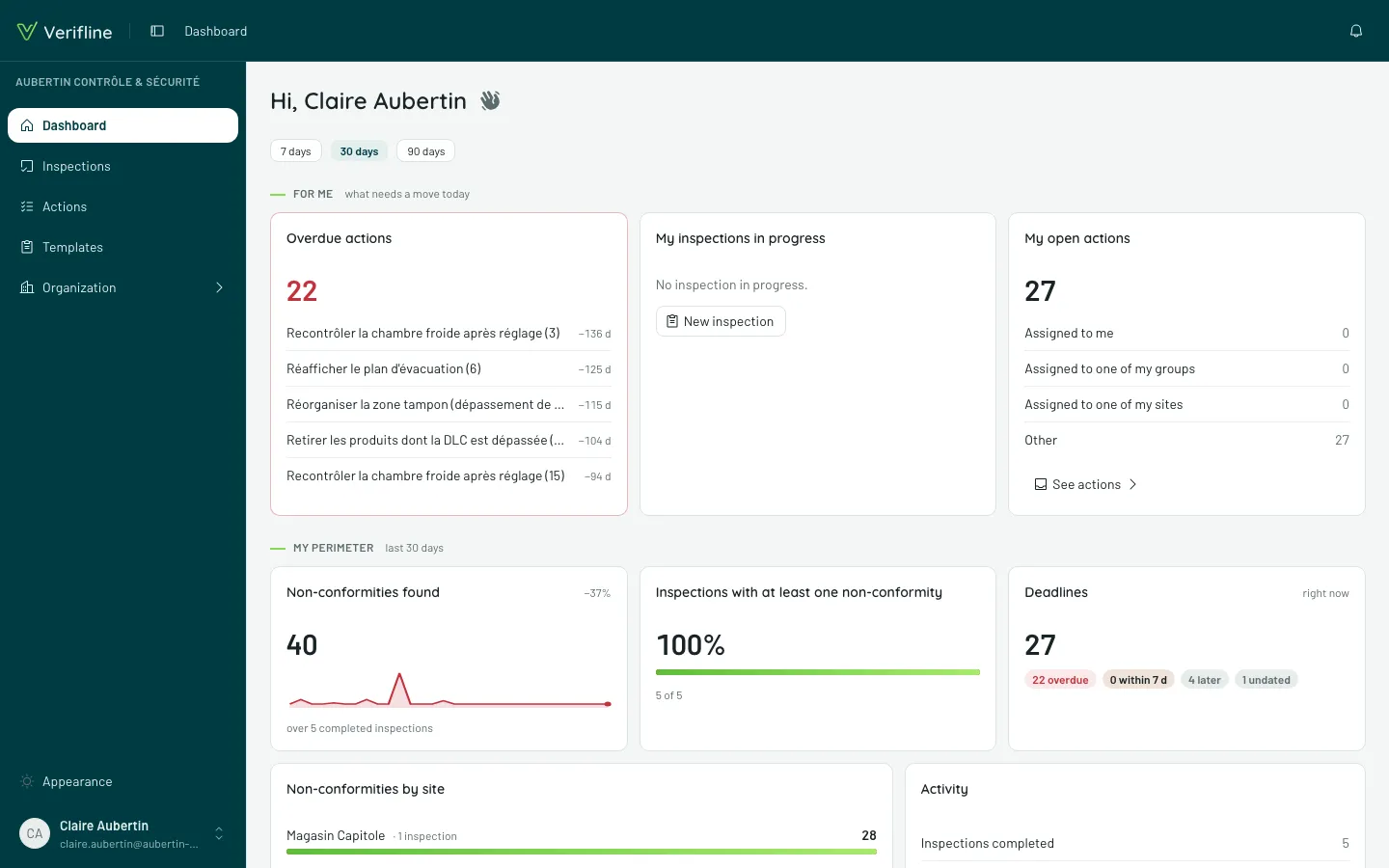
The five building blocks
Section titled “The five building blocks”- The organization — your space. It holds your members, sites, templates and all your data. Every member enters with a role that says what they can do.
- Sites — the places you inspect, arranged as a tree (region, city, building — you name your levels). Pinning someone to a site opens that site and everything inside it.
- Templates — your inspection questionnaires: pages, questions, conditional logic, scores. Publish once, run as often as you like.
- Inspections — a template run on a site, at a point in time. Capture works at a desk or at the back of a warehouse with no signal.
- Actions — the corrective tasks. They are born during an inspection or on their own, get assigned to a member, a team, or even an outside person with no account.
Finding your way
Section titled “Finding your way”- On a computer: the left rail carries everything — Dashboard, Inspections, Actions, Templates, then the Organization section (members, sites, groups, roles, assignments, action families, settings).
- On a phone: the bottom bar gives you Inspections, Actions and More — the latter holds the rest.
- The bell in the top right carries your notifications.