Invite your team
Inviting happens in Organization → Members → Invite — one row per person, and each row says who, with which role, on which scope.
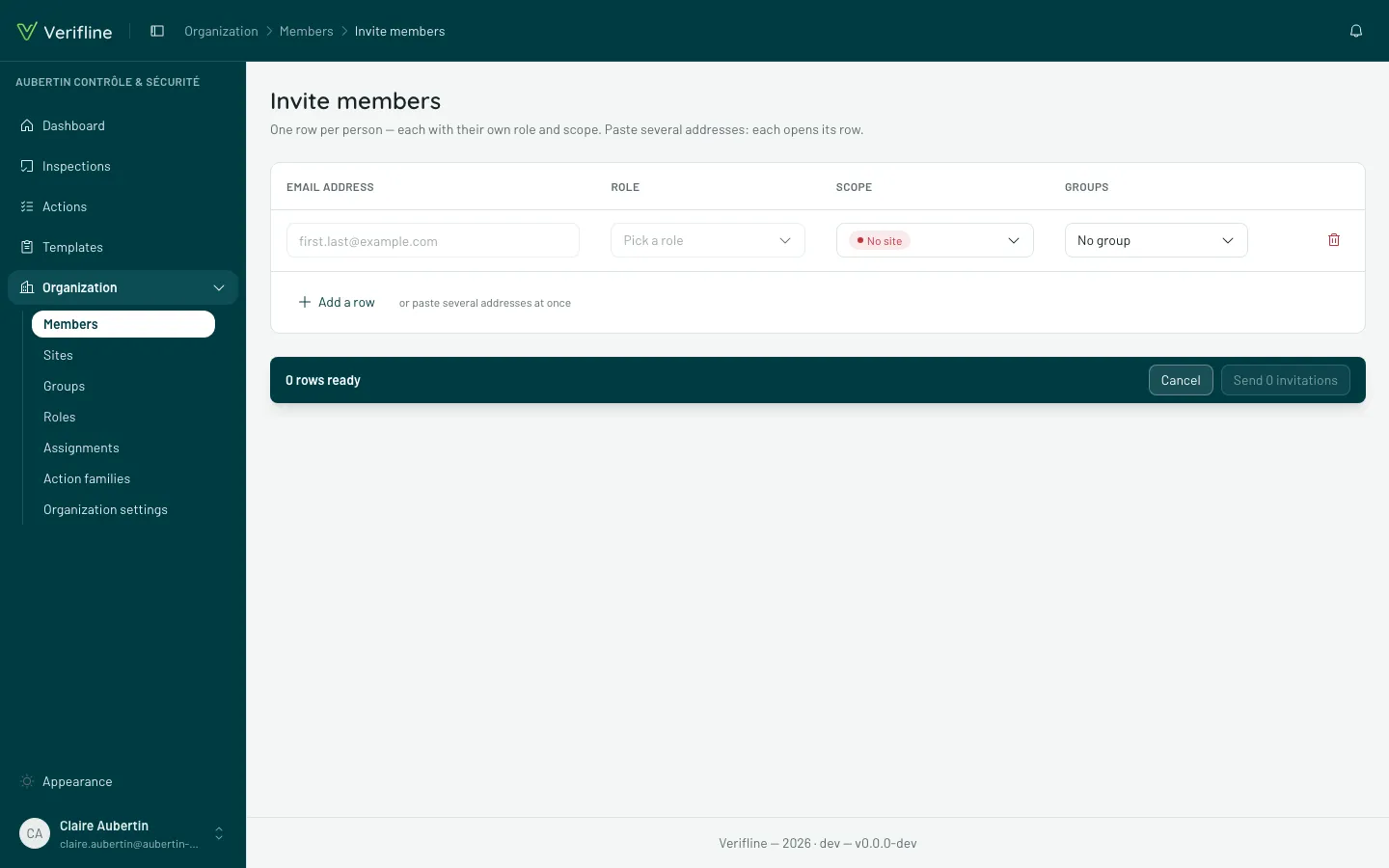
Send invitations
Section titled “Send invitations”- Enter each person’s email address.
- Pick their role — Administrator, Site manager, Inspector or Guest.
- Optional: pin a scope (sites) and groups — they are applied automatically on acceptance, the invitee arrives ready.
- Send the invitations. Everyone receives an email with an acceptance link.
What the invitee sees
Section titled “What the invitee sees”The link opens the Join the organization screen: they pick a name and a password and walk right in — address already proven (the link travelled by email), in the language they see on screen.
Track, resend, revoke
Section titled “Track, resend, revoke”The Pending tab of the Members screen lists unaccepted invitations. On each row:
- Copy link — to pass it through another channel (the link is only shown at creation, copy it then);
- Resend invitation — a new email goes out, the link stays valid;
- Revoke — the link dies immediately.
When someone accepts, you are notified — bell and email (adjustable).