Capture
Capture is the screen where answering happens. Every answer saves the moment it is given — no Save button, nothing to lose if the phone dies.
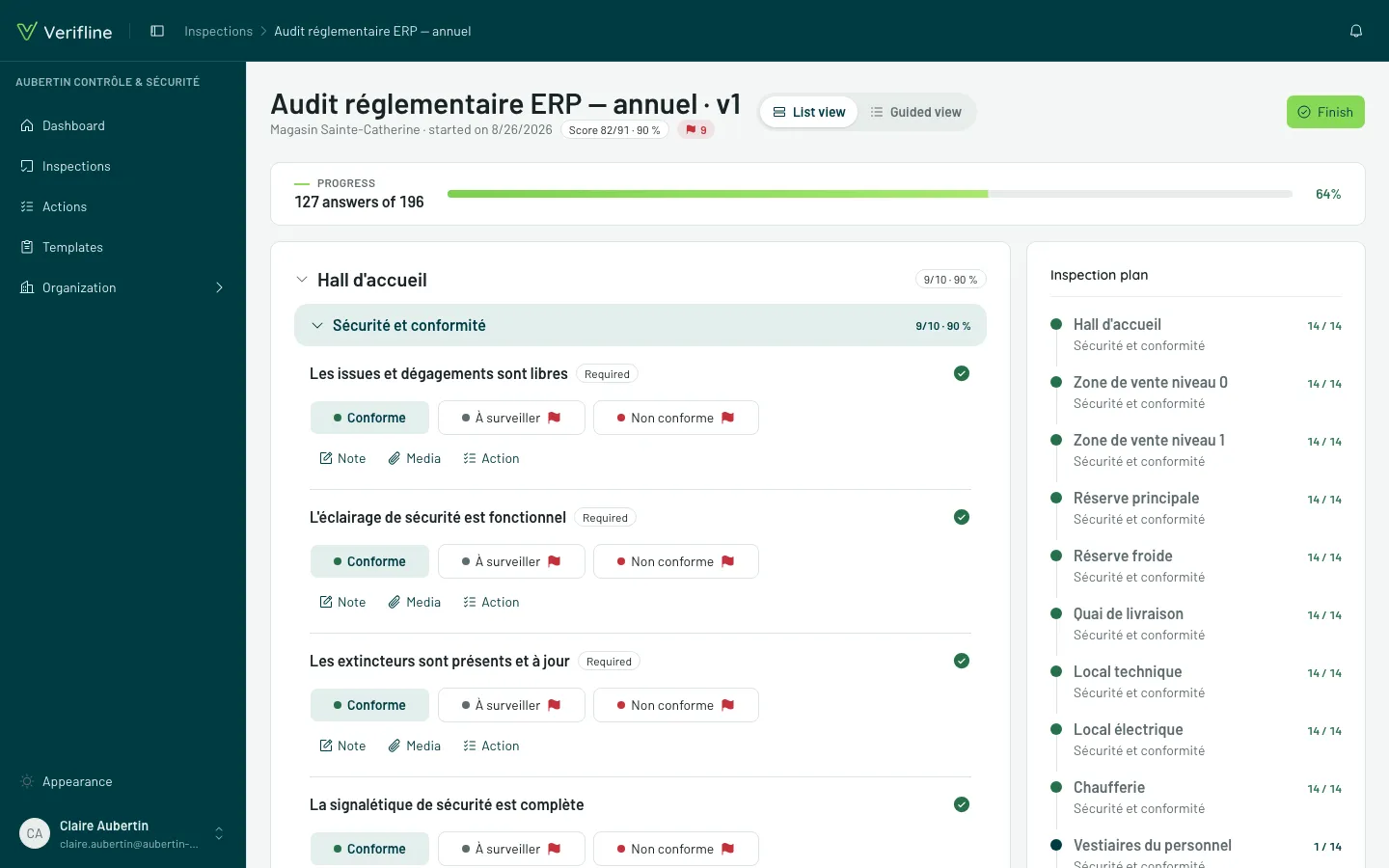
Two views, the same answers
Section titled “Two views, the same answers”- List view — the whole questionnaire unrolled, page by page. The natural view at a desk, or for sweeping fast.
- Guided view — one question per screen, with its progress. The natural view while walking, phone in one hand.
The More actions menu switches between them at any time — both views read and write the same answers.
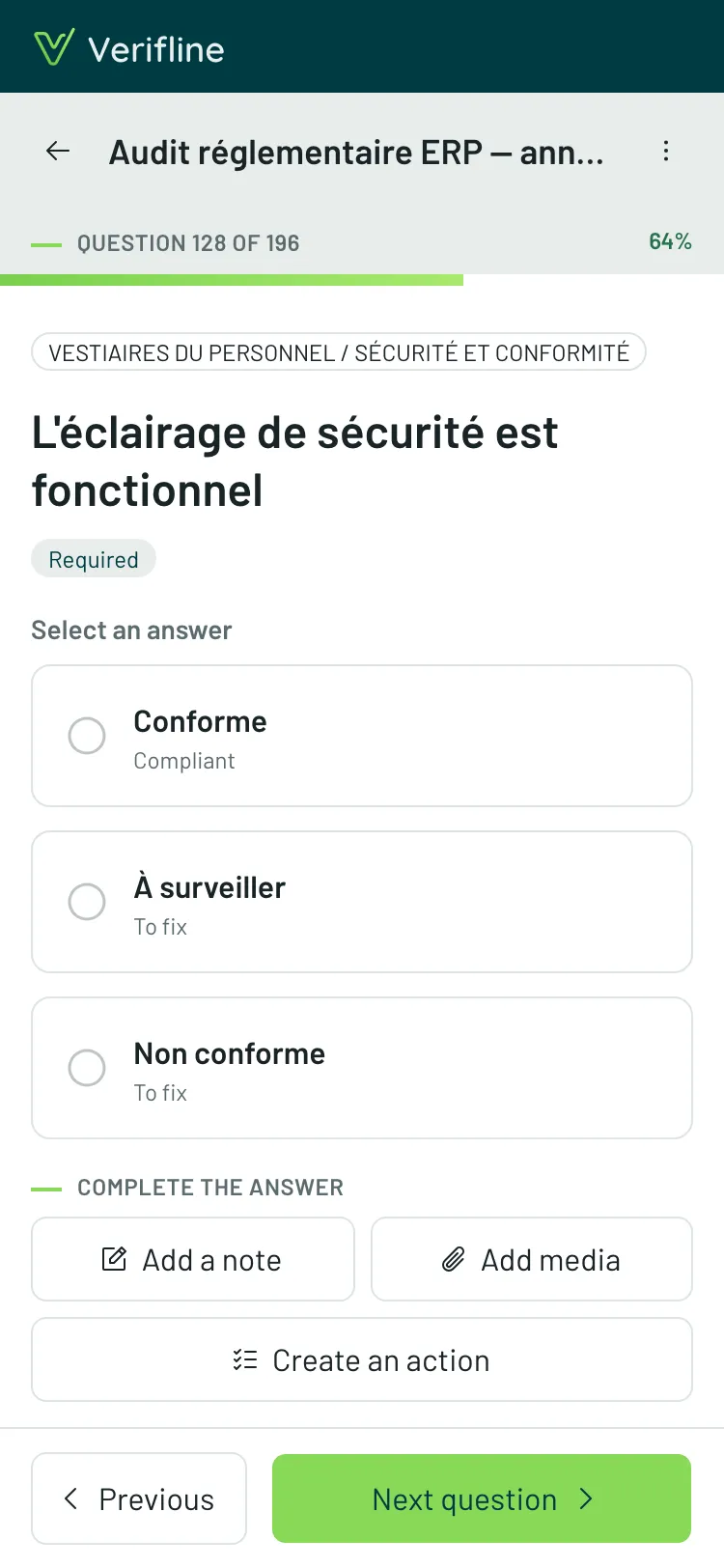
Enriching an answer
Section titled “Enriching an answer”Under each question:
- a note — the written context the checkbox lacks;
- photos — taken on the spot or picked from the library;
- Annotate the photo — draw on the image: circle, arrow, write;
- a signature drawn on screen, when the question asks for one.
Requirements
Section titled “Requirements”When a template rule imposes it, the answer comes with an obligation, shown under the question: Note required, Media required, Action required. An uncleared requirement does not stop you from moving on — it will stop you from finishing, and the finish screen will bring you back to it.
Questions that appear
Section titled “Questions that appear”Conditional logic reveals its questions as you go: answering “Non-compliant” can unfold two follow-up questions that were not on screen a second earlier. Numbering and score adjust on their own.