Create a template
A template is your inspection questionnaire. It is built in Templates → New template, and the editor saves as you go — no Save button to hunt for.
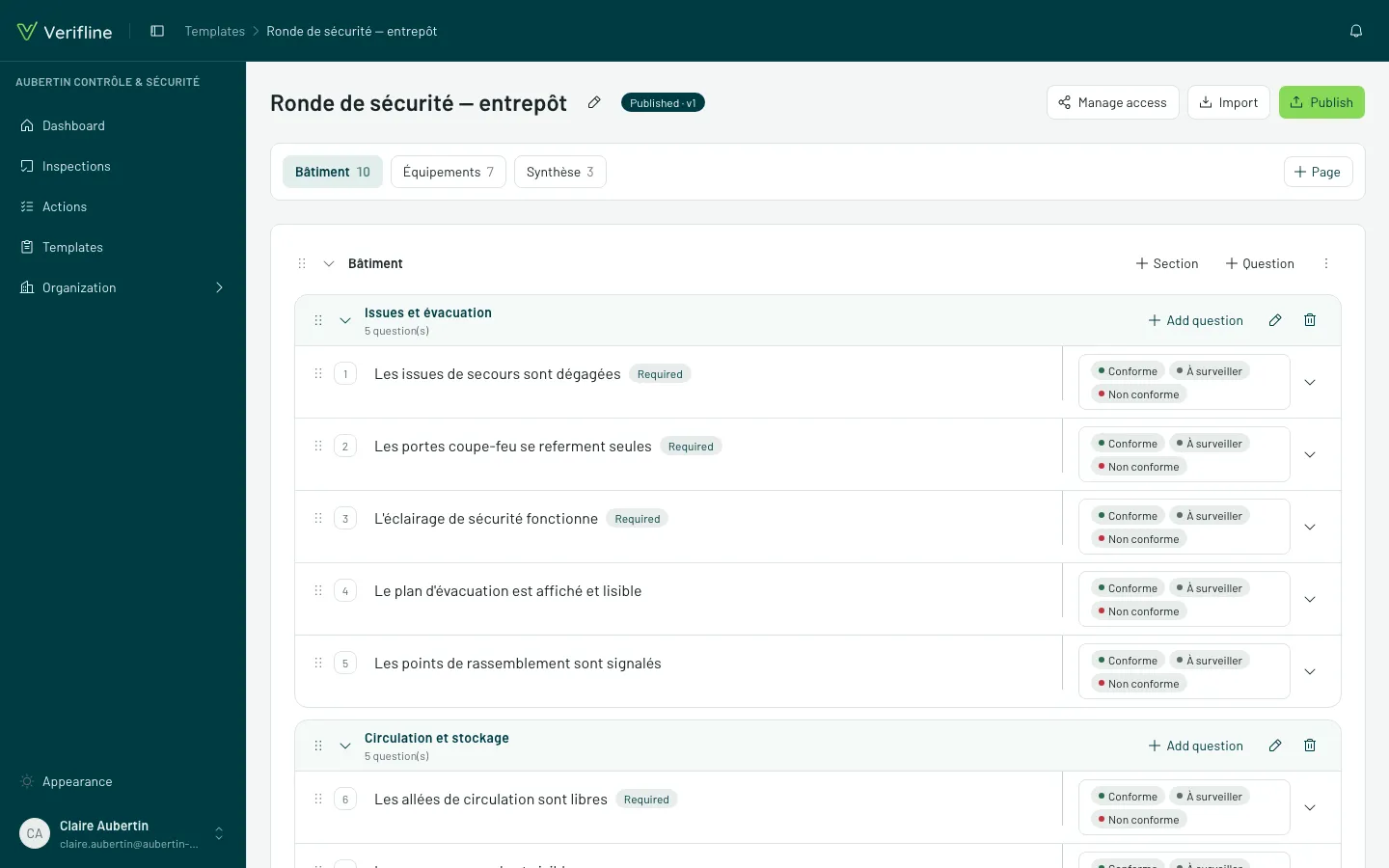
The structure: pages, sections, questions
Section titled “The structure: pages, sections, questions”- Pages split the inspection into steps (“Outside”, “Kitchen”, “Storage”) — capture walks them in order.
- Sections group questions under a heading, inside a page.
- Questions each carry a response type and, when needed, some logic.
Everything reorders by drag and drop — a question can even change pages.
Repeatable sections
Section titled “Repeatable sections”A section marked repeatable duplicates during capture, as many times as the field demands: “Fire extinguisher” written once, filled for each of the building’s twelve extinguishers. The inspector adds occurrences themselves; the report unrolls them all.
Starting from what you have: CSV import
Section titled “Starting from what you have: CSV import”Your checklists already live in a spreadsheet? Import from CSV creates the frame (pages, sections, questions, types) in one gesture — all that is left is refining in the editor.
The template stays a Draft until you publish it — draft = invisible to the teams.