Support
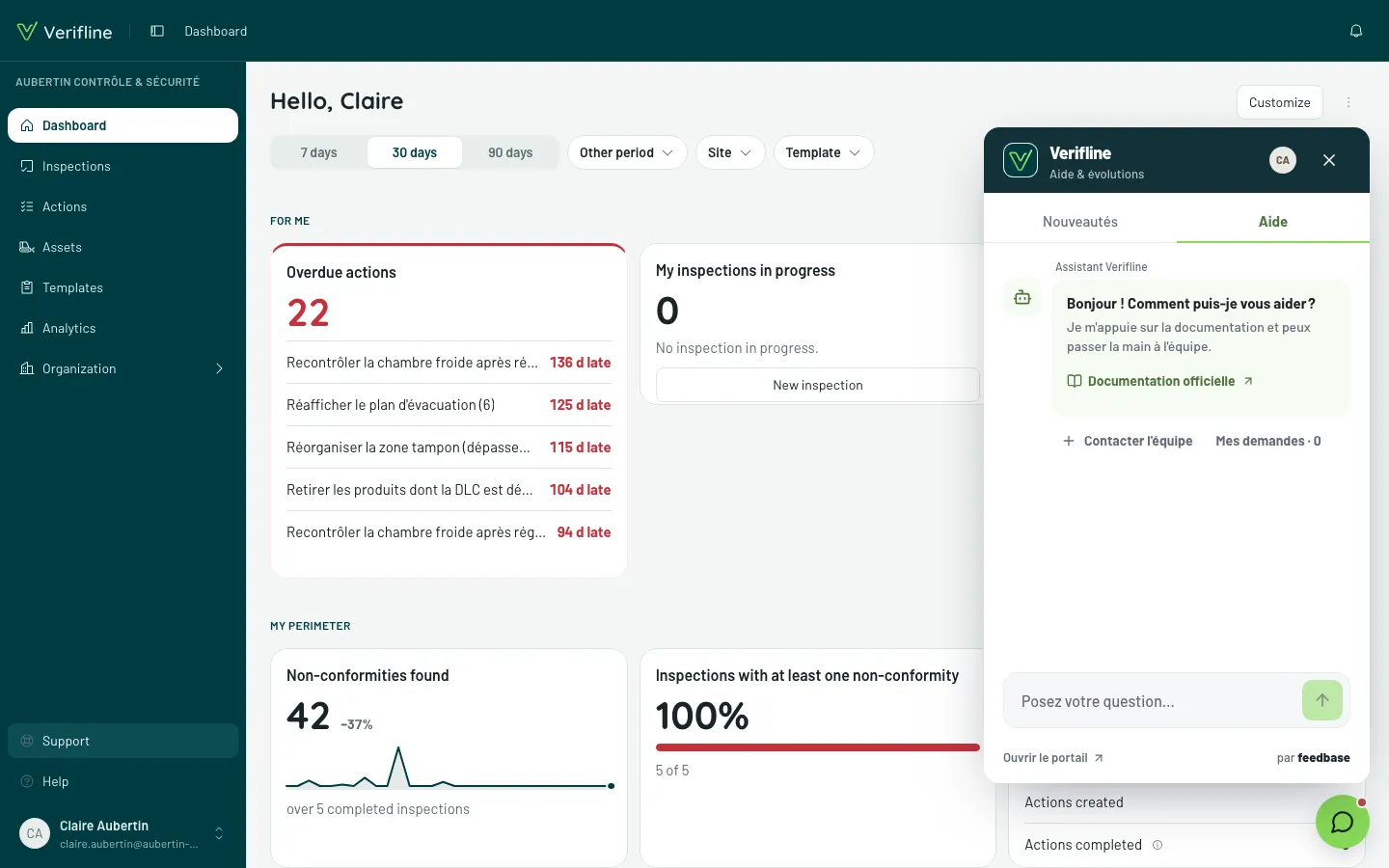
The Support button opens a panel that brings three things together, without leaving Verifline: writing to the team, suggesting an idea, reading what’s new. Your Verifline account is enough — nothing to create.
Where to find it
Section titled “Where to find it”- On a computer: Support, at the very bottom of the sidebar, right above Help — or the bubble in the bottom-right corner. When an action bar sits at the bottom of the screen — the Save bar of an editor, for instance —, or when an action’s panel is open beside the actions list, the bubble makes room for them: support stays in the sidebar.
- On a phone: More → Preferences → Support. No bubble: the bottom bar already takes that space.
- During an inspection, neither bubble nor sidebar: capture takes the whole screen. Leave it — everything is saved — to find support again.
- The button only shows online: support is a remote service, it goes away with the network and comes back with it.
The three tabs
Section titled “The three tabs”- Aide (help) — ask your question: the Assistant Verifline answers from the documentation, and hands over to the team when needed. Contacter l’équipe (contact the team) reaches the humans directly: the answer lands in this same panel, under Mes demandes (my requests), and you are notified by email.
- Idées (ideas) — suggest an improvement and follow it until Livré (shipped): you are notified when it lands in Verifline.
- Nouveautés (what’s new) — what changed, version by version. A dot on the bubble flags the ones you have not read yet.
From the portal
Section titled “From the portal”An email from the team or a bookmark may take you to the support portal, outside the app. Continuer avec Verifline signs you in there with your account, no extra password.
For the documentation itself, use the Help entry, right below.